 b446173a7a
## Description

Updates README for final version of hcp-vault-secrets. Previous version
was tagged and documented wrong
<!-- Briefly describe what this PR does and why -->

## Type of Change

- [ ] New module
- [ ] Bug fix
- [ ] Feature/enhancement
- [ ] Documentation
- [X] Other

## Module Information

<!-- Delete this section if not applicable -->

**Path:** `registry/coder/modules/hcp-vault-secrets`
**New version:** `v1.0.32`
**Breaking change:** [ ] Yes [X] No
3.7 KiB
| display_name | description | icon | maintainer_github | partner_github | verified | tags | ||||
|---|---|---|---|---|---|---|---|---|---|---|
| HCP Vault Secrets | Fetch secrets from HCP Vault | ../../../../.icons/vault.svg | coder | hashicorp | true |
|
HCP Vault Secrets
Warning
⚠️ DEPRECATED: HCP Vault Secrets is being sunset
HashiCorp has announced that HCP Vault Secrets will no longer be available for purchase by new customers after June 30th, 2025. This module will stop working when HCP Vault Secrets is fully discontinued.
Use these Coder registry modules instead:
- vault-token - Connect to Vault using access tokens
- vault-jwt - Connect to Vault using JWT/OIDC authentication
- vault-github - Connect to Vault using GitHub authentication
These modules work with both self-hosted Vault and HCP Vault Dedicated. For migration help, see the official HashiCorp announcement.
This module lets you fetch all or selective secrets from a HCP Vault Secrets app into your Coder workspaces. It makes use of the hcp_vault_secrets_app data source from the HCP provider.
module "vault" {
  source     = "registry.coder.com/coder/hcp-vault-secrets/coder"
  version    = "1.0.32"
  agent_id   = coder_agent.example.id
  app_name   = "demo-app"
  project_id = "aaa-bbb-ccc"
}
Configuration
To configure the HCP Vault Secrets module, follow these steps,
- Create secrets in HCP Vault Secrets
- Create an HCP Service Principal from the HCP Vault Secrets app in the HCP console. This will give you the
HCP_CLIENT_IDandHCP_CLIENT_SECRETthat you need to authenticate with HCP Vault Secrets.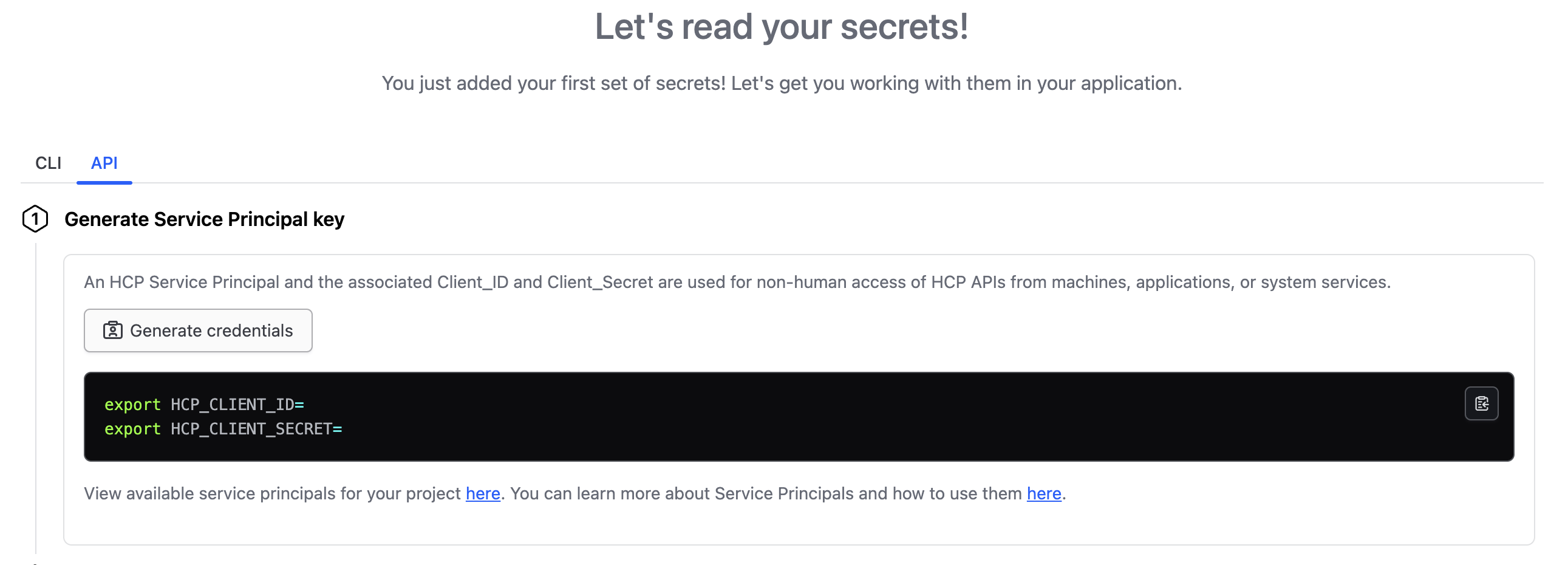
- Set
HCP_CLIENT_IDandHCP_CLIENT_SECRETvariables on the coder provisioner (recommended) or supply them as input to the module. - Set the
project_id. This is the ID of the project where the HCP Vault Secrets app is running.
See the HCP Vault Secrets documentation for more information.
Fetch All Secrets
To fetch all secrets from the HCP Vault Secrets app, skip the secrets input.
module "vault" {
  source     = "registry.coder.com/coder/hcp-vault-secrets/coder"
  version    = "1.0.32"
  agent_id   = coder_agent.example.id
  app_name   = "demo-app"
  project_id = "aaa-bbb-ccc"
}
Fetch Selective Secrets
To fetch selective secrets from the HCP Vault Secrets app, set the secrets input.
module "vault" {
  source     = "registry.coder.com/coder/hcp-vault-secrets/coder"
  version    = "1.0.32"
  agent_id   = coder_agent.example.id
  app_name   = "demo-app"
  project_id = "aaa-bbb-ccc"
  secrets    = ["MY_SECRET_1", "MY_SECRET_2"]
}
Set Client ID and Client Secret as Inputs
Set client_id and client_secret as module inputs.
module "vault" {
  source        = "registry.coder.com/coder/hcp-vault-secrets/coder"
  version       = "1.0.32"
  agent_id      = coder_agent.example.id
  app_name      = "demo-app"
  project_id    = "aaa-bbb-ccc"
  client_id     = "HCP_CLIENT_ID"
  client_secret = "HCP_CLIENT_SECRET"
}