 b427fe3f6a
Update all module README files to use coder_agent.main instead of
coder_agent.example for consistency with existing template conventions.

Changes:
- Updated 50+ module README.md files
- Updated root README.md and CONTRIBUTING.md
- Updated examples/templates/main.tf

This ensures copy-paste examples from module docs work seamlessly
with the majority of templates that use "main" as the agent name.
3.0 KiB
3.0 KiB
| display_name | description | icon | verified | tags | |||
|---|---|---|---|---|---|---|---|
| VS Code Web | VS Code Web - Visual Studio Code in the browser | ../../../../.icons/code.svg | true |
|
VS Code Web
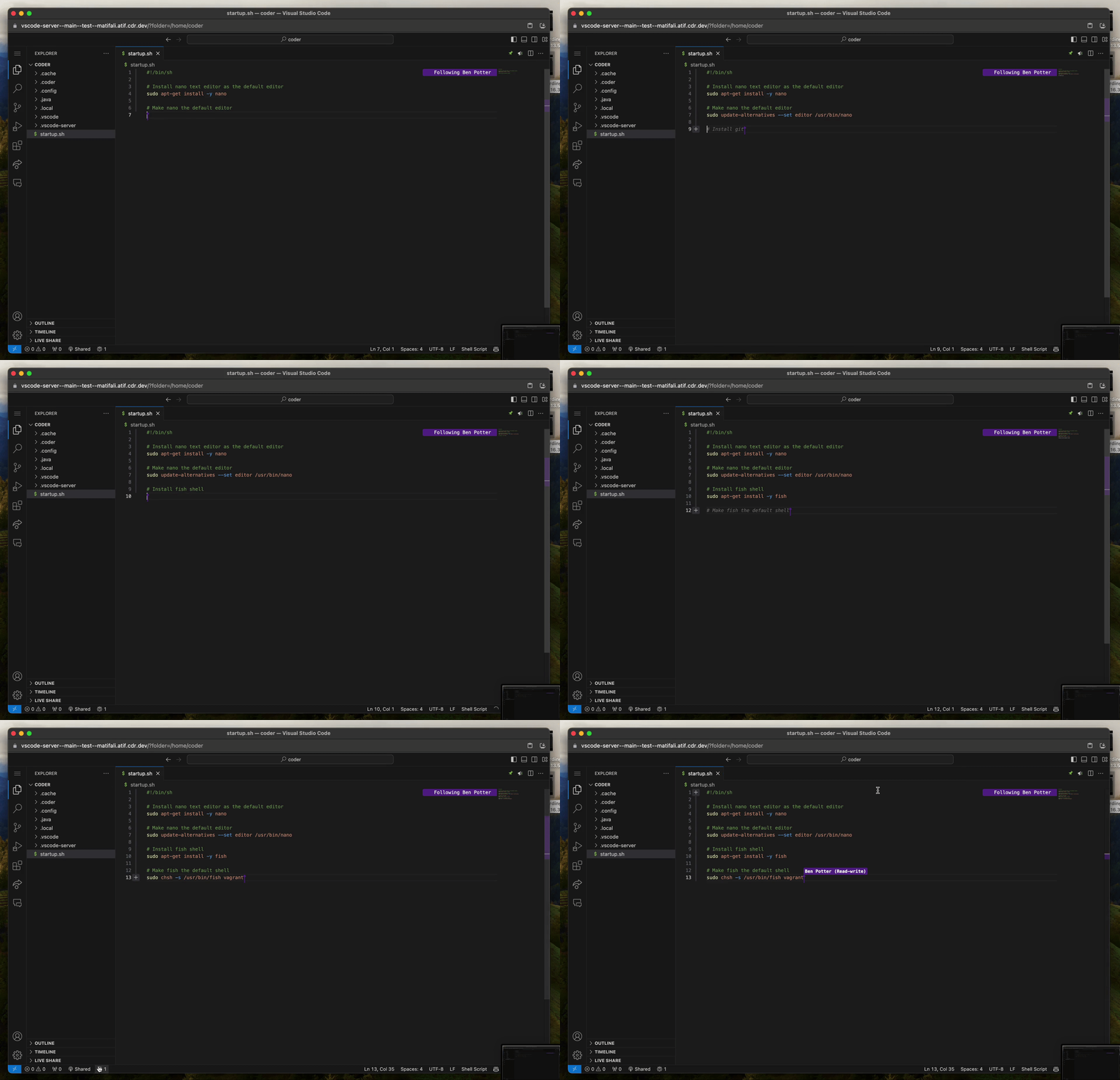
Automatically install Visual Studio Code Server in a workspace and create an app to access it via the dashboard.
module "vscode-web" {
  count          = data.coder_workspace.me.start_count
  source         = "registry.coder.com/coder/vscode-web/coder"
  version        = "1.4.1"
  agent_id       = coder_agent.main.id
  accept_license = true
}
Examples
Install VS Code Web to a custom folder
module "vscode-web" {
  count          = data.coder_workspace.me.start_count
  source         = "registry.coder.com/coder/vscode-web/coder"
  version        = "1.4.1"
  agent_id       = coder_agent.main.id
  install_prefix = "/home/coder/.vscode-web"
  folder         = "/home/coder"
  accept_license = true
}
Install Extensions
module "vscode-web" {
  count          = data.coder_workspace.me.start_count
  source         = "registry.coder.com/coder/vscode-web/coder"
  version        = "1.4.1"
  agent_id       = coder_agent.main.id
  extensions     = ["github.copilot", "ms-python.python", "ms-toolsai.jupyter"]
  accept_license = true
}
Pre-configure Settings
Configure VS Code's settings.json file:
module "vscode-web" {
  count      = data.coder_workspace.me.start_count
  source     = "registry.coder.com/coder/vscode-web/coder"
  version    = "1.4.1"
  agent_id   = coder_agent.main.id
  extensions = ["dracula-theme.theme-dracula"]
  settings = {
    "workbench.colorTheme" = "Dracula"
  }
  accept_license = true
}
Pin a specific VS Code Web version
By default, this module installs the latest. To pin a specific version, retrieve the commit ID from the VS Code Update API and verify its corresponding release on the VS Code GitHub Releases.
module "vscode-web" {
  count          = data.coder_workspace.me.start_count
  source         = "registry.coder.com/coder/vscode-web/coder"
  version        = "1.4.1"
  agent_id       = coder_agent.main.id
  commit_id      = "e54c774e0add60467559eb0d1e229c6452cf8447"
  accept_license = true
}
Open an existing workspace on startup
To open an existing workspace on startup the workspace parameter can be used to represent a path on disk to a code-workspace file.
Note: Either workspace or folder can be used, but not both simultaneously. The code-workspace file must already be present on disk.
module "vscode-web" {
  count     = data.coder_workspace.me.start_count
  source    = "registry.coder.com/coder/vscode-web/coder"
  version   = "1.4.1"
  agent_id  = coder_agent.main.id
  workspace = "/home/coder/coder.code-workspace"
}