 183bd57061
## Summary
Keep the Mux module's launcher around after startup so it can append
useful diagnostics when `mux server` is killed outside the Node runtime.

## Background
The module previously forked `mux server` and returned immediately,
which meant external kills (for example `SIGKILL` or an OOM kill) could
leave users with only a stopped app and no launcher-side clue about what
happened.

## Implementation
- keep the existing module inputs and startup shape intact
- launch `mux server` under a detached Bash watcher that waits for the
child process to exit
- append signal/exit-code diagnostics to `log_path` when the server dies
unexpectedly
- include a best-effort kernel OOM/SIGKILL hint in the log when the host
exposes it
- add Terraform and Bun tests that cover the new launcher diagnostics
- bump the module examples from `1.3.1` to `1.4.0`

## Validation
- `bun x prettier --check registry/coder/modules/mux/README.md
registry/coder/modules/mux/main.test.ts
registry/coder/modules/mux/mux.tftest.hcl
registry/coder/modules/mux/run.sh`
- `terraform fmt -check -recursive registry/coder/modules/mux`
- `cd registry/coder/modules/mux && terraform validate`
- `cd registry/coder/modules/mux && terraform test -verbose`
- `cd registry/coder/modules/mux && bun test main.test.ts`
- `bun run shellcheck -- registry/coder/modules/mux/run.sh`

---

Generated with mux (exec mode) using openai:gpt-5.4.
4.8 KiB
| display_name | description | icon | verified | tags | ||||
|---|---|---|---|---|---|---|---|---|
| Mux | Coding Agent Multiplexer - Run multiple AI agents in parallel | ../../../../.icons/mux.svg | true |
|
Mux
Automatically install and run Mux in a Coder workspace. By default, the module auto-detects an available package manager (npm, pnpm, or bun) to install mux@next (with a fallback to downloading the npm tarball if none is found). You can also force a specific package manager via package_manager and point to a custom registry with registry_url. The launcher now keeps watching the mux process after startup and appends signal/exit-code diagnostics to the mux log when the server is killed outside the Node runtime. Mux is a desktop application for parallel agentic development that enables developers to run multiple AI agents simultaneously across isolated workspaces.
module "mux" {
  count    = data.coder_workspace.me.start_count
  source   = "registry.coder.com/coder/mux/coder"
  version  = "1.4.0"
  agent_id = coder_agent.main.id
}
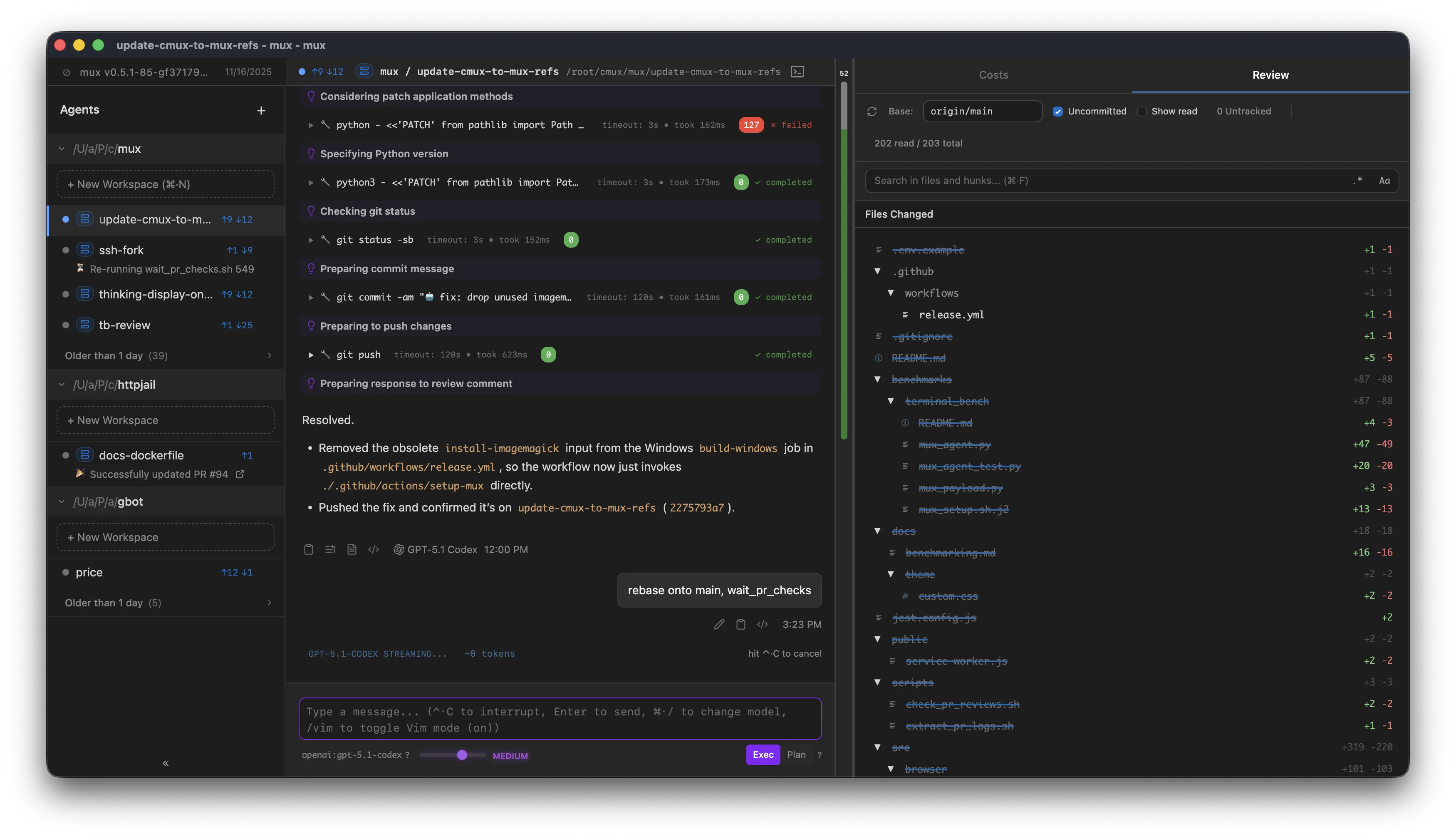
Features
- Parallel Agent Execution: Run multiple AI agents simultaneously on different tasks
- Mux Workspace Isolation: Each agent works in its own isolated environment
- Git Divergence Visualization: Track changes across different Mux agent workspaces
- Long-Running Processes: Resume AI work after interruptions
- Cost Tracking: Monitor API usage across agents
Examples
Basic Usage
module "mux" {
  count    = data.coder_workspace.me.start_count
  source   = "registry.coder.com/coder/mux/coder"
  version  = "1.4.0"
  agent_id = coder_agent.main.id
}
Pin Version
module "mux" {
  count    = data.coder_workspace.me.start_count
  source   = "registry.coder.com/coder/mux/coder"
  version  = "1.4.0"
  agent_id = coder_agent.main.id
  # Default is "latest"; set to a specific version to pin
  install_version = "0.4.0"
}
Open a Project on Launch
Start Mux with mux server --add-project /path/to/project:
module "mux" {
  count       = data.coder_workspace.me.start_count
  source      = "registry.coder.com/coder/mux/coder"
  version     = "1.4.0"
  agent_id    = coder_agent.main.id
  add_project = "/path/to/project"
}
Pass Arbitrary mux server Arguments
Use additional_arguments to append additional arguments to mux server.
The module parses quoted values, so grouped arguments remain intact.
module "mux" {
  count                = data.coder_workspace.me.start_count
  source               = "registry.coder.com/coder/mux/coder"
  version              = "1.4.0"
  agent_id             = coder_agent.main.id
  additional_arguments = "--open-mode pinned --add-project '/workspaces/my repo'"
}
Custom Port
module "mux" {
  count    = data.coder_workspace.me.start_count
  source   = "registry.coder.com/coder/mux/coder"
  version  = "1.4.0"
  agent_id = coder_agent.main.id
  port     = 8080
}
Custom Package Manager
Force a specific package manager instead of auto-detection:
module "mux" {
  count           = data.coder_workspace.me.start_count
  source          = "registry.coder.com/coder/mux/coder"
  version         = "1.4.0"
  agent_id        = coder_agent.main.id
  package_manager = "pnpm" # or "npm", "bun"
}
Custom Registry
Use a private or mirrored npm registry:
module "mux" {
  count        = data.coder_workspace.me.start_count
  source       = "registry.coder.com/coder/mux/coder"
  version      = "1.4.0"
  agent_id     = coder_agent.main.id
  registry_url = "https://npm.pkg.github.com"
}
Use Cached Installation
Run an existing copy of Mux if found, otherwise install from npm:
module "mux" {
  count      = data.coder_workspace.me.start_count
  source     = "registry.coder.com/coder/mux/coder"
  version    = "1.4.0"
  agent_id   = coder_agent.main.id
  use_cached = true
}
Skip Install
Run without installing from the network (requires Mux to be pre-installed):
module "mux" {
  count    = data.coder_workspace.me.start_count
  source   = "registry.coder.com/coder/mux/coder"
  version  = "1.4.0"
  agent_id = coder_agent.main.id
  install  = false
}
Supported Platforms
- Linux (x86_64, aarch64)
Notes
- Mux is currently in preview and you may encounter bugs
- Requires internet connectivity for agent operations (unless
installis set to false) - Auto-detects
npm,pnpm, orbunby default; setpackage_managerto force a specific one - Installs
mux@nextfrom the npm registry by default; setregistry_urlto use a private or mirrored registry - Falls back to a direct tarball download when no package manager is found
- Appends best-effort signal and external-kill diagnostics to
log_pathif the mux process dies after startup