 b76b544e78
Fixes #835 ## Problem The `data "http"` resource always fires for every selected IDE, even when the user has pinned versions via `ide_config`. In air-gapped or caching scenarios, this causes: - **30-second hangs** when `releases_base_link` is set to a dummy URL like `https://localhost` - **Fatal errors** with `https://localhost:1` (connection refused) - The documented "air-gapped fallback" via `try()` never actually worked — the `http` data source fails before `try()` can catch anything ## Fix When `ide_config` is provided, the module now skips all HTTP calls and uses the pinned build numbers directly. | Scenario | `ide_config` | HTTP calls | Build source | On API failure | |---|---|---|---|---| | User wants latest | `null` (default) | Yes | JetBrains API | Terraform error (fail loudly) | | User pins versions | Set | **None** | `ide_config.build` | N/A | ### Changes - `ide_config` default changed from a full map to `null` - `name` and `icon` are now `optional(string)` in `ide_config` — falls back to built-in metadata - `data.http.jetbrains_ide_versions` `for_each` is empty when `ide_config` is set - Static `ide_metadata` local provides name/icon when `ide_config` is null - Removed `try()` fallback from `parsed_responses` — API errors are now explicit instead of silently using stale builds - Cross-variable validation rejects `major_version`, `channel`, and `releases_base_link` when `ide_config` is set - Validation for `ide_config ⊇ default` added (previously only `ide_config ⊇ options` was checked) - Version bumped `1.3.1` → `1.4.0` ### Usage ```tf module "jetbrains" { source = "registry.coder.com/coder/jetbrains/coder" version = "1.4.0" agent_id = coder_agent.main.id folder = "/home/coder/project" # Zero HTTP calls — only build is required. ide_config = { "GO" = { build = "261.22158.291" } "PY" = { build = "261.22158.340" } } options = ["GO", "PY"] } ``` > 🤖 This PR was created with the help of Coder Agents, and needs a human review. 🧑💻
| display_name | description | icon | verified | tags | |||
|---|---|---|---|---|---|---|---|
| JetBrains Toolbox | Add JetBrains IDE integrations to your Coder workspaces with configurable options. | ../../../../.icons/jetbrains.svg | true |
|
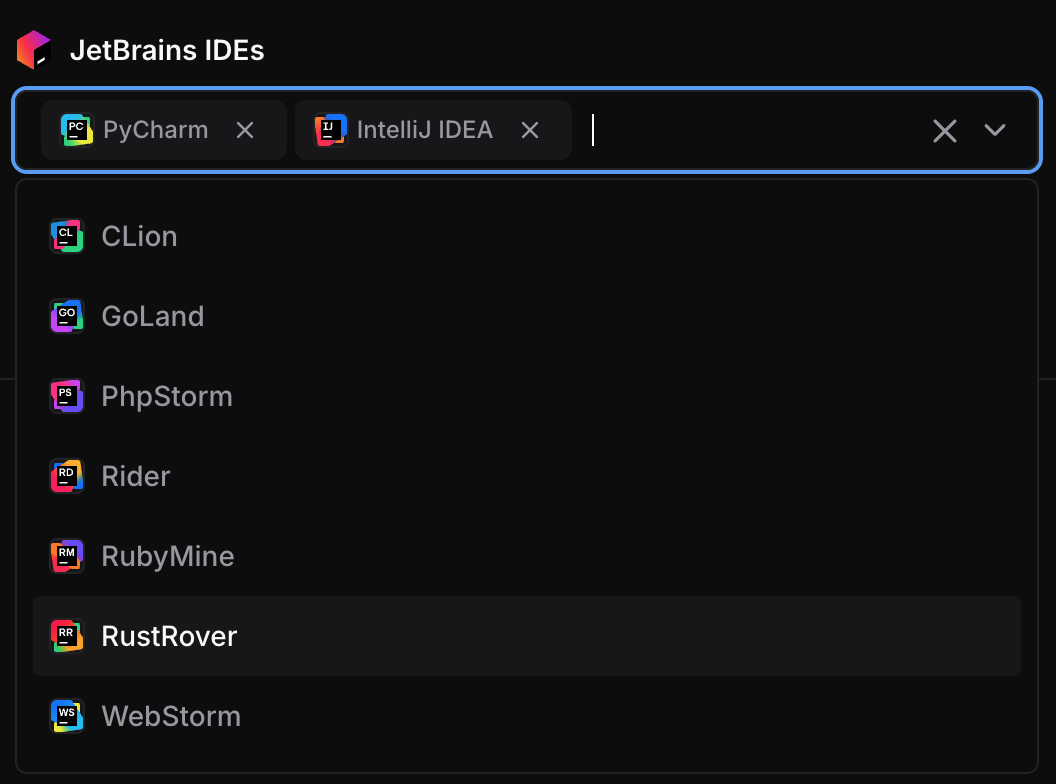
JetBrains IDEs
This module adds JetBrains IDE buttons to launch IDEs directly from the dashboard by integrating with the JetBrains Toolbox.
module "jetbrains" {
  count    = data.coder_workspace.me.start_count
  source   = "registry.coder.com/coder/jetbrains/coder"
  version  = "1.4.0"
  agent_id = coder_agent.main.id
  folder   = "/home/coder/project"
}
Important
This module requires Coder version 2.24+ and JetBrains Toolbox version 2.7 or higher.
Warning
JetBrains recommends a minimum of 4 CPU cores and 8GB of RAM. Consult the JetBrains documentation to confirm other system requirements.
Examples
Pre-configured Mode (Direct App Creation)
When default contains IDE codes, those IDEs are created directly without user selection:
module "jetbrains" {
  count    = data.coder_workspace.me.start_count
  source   = "registry.coder.com/coder/jetbrains/coder"
  version  = "1.4.0"
  agent_id = coder_agent.main.id
  folder   = "/home/coder/project"
  default  = ["PY", "IU"] # Pre-configure PyCharm and IntelliJ IDEA
}
User Choice with Limited Options
module "jetbrains" {
  count    = data.coder_workspace.me.start_count
  source   = "registry.coder.com/coder/jetbrains/coder"
  version  = "1.4.0"
  agent_id = coder_agent.main.id
  folder   = "/home/coder/project"
  # Show parameter with limited options
  options = ["IU", "PY"] # Only these IDEs are available for selection
}
Early Access Preview (EAP) Versions
module "jetbrains" {
  count         = data.coder_workspace.me.start_count
  source        = "registry.coder.com/coder/jetbrains/coder"
  version       = "1.4.0"
  agent_id      = coder_agent.main.id
  folder        = "/home/coder/project"
  default       = ["IU", "PY"]
  channel       = "eap"    # Use Early Access Preview versions
  major_version = "2025.2" # Specific major version
}
Pinned Versions (Air-Gapped / Cached)
When ide_config is set, the module makes zero HTTP calls and uses the
provided build numbers directly. This is ideal for air-gapped environments
or when caching IDE installations.
Tip
To find the latest build number for an IDE, query the JetBrains releases API:
curl -s "https://data.services.jetbrains.com/products/releases?code=GO&type=release&latest=true" | jq 'to_entries[0].value[0] | {build, version}'Replace
GOwith the product code for the IDE you want (e.g.IU,PY,CL).
module "jetbrains" {
  count    = data.coder_workspace.me.start_count
  source   = "registry.coder.com/coder/jetbrains/coder"
  version  = "1.4.0"
  agent_id = coder_agent.main.id
  folder   = "/home/coder/project"

  # Only build is required. Name and icon fall back to built-in defaults.
  ide_config = {
    "GO" = { build = "261.22158.291" }
    "PY" = { build = "261.22158.340" }
    # Add entries for other IDEs as needed.
  }

  options = ["GO", "PY"] # Must match the keys in ide_config.
}
Single IDE for Specific Use Case
module "jetbrains_pycharm" {
  count    = data.coder_workspace.me.start_count
  source   = "registry.coder.com/coder/jetbrains/coder"
  version  = "1.4.0"
  agent_id = coder_agent.main.id
  folder   = "/workspace/project"

  default = ["PY"] # Only PyCharm

  # Specific version for consistency
  major_version = "2025.1"
  channel       = "release"
}
Custom Tooltip
Add helpful tooltip text that appears when users hover over the IDE app buttons:
module "jetbrains" {
  count    = data.coder_workspace.me.start_count
  source   = "registry.coder.com/coder/jetbrains/coder"
  version  = "1.4.0"
  agent_id = coder_agent.main.id
  folder   = "/home/coder/project"
  default  = ["IU", "PY"]
  tooltip  = "You need to install [JetBrains Toolbox App](https://www.jetbrains.com/toolbox-app/) to use this button."
}
Accessing the IDE Metadata
You can now reference the output ide_metadata as a map.
# Add metadata to the container showing the installed IDEs and their build versions.
resource "coder_metadata" "container_info" {
  count       = data.coder_workspace.me.start_count
  resource_id = one(docker_container.workspace).id

  dynamic "item" {
    for_each = length(module.jetbrains) > 0 ? one(module.jetbrains).ide_metadata : {}
    content {
      key   = item.value.build
      value = "${item.value.name} [${item.key}]"
    }
  }
}
Behavior
Parameter vs Direct Apps
default = [](empty): Creates acoder_parameterallowing users to select IDEs fromoptionsdefaultwith values: Skips parameter and directly createscoder_appresources for the specified IDEs
Version Resolution
ide_confignot set (default): Build numbers are fetched from the JetBrains releases API. If the API is unreachable, Terraform will return an error rather than silently using stale versions.ide_configset: The module skips all HTTP calls and uses the provided build numbers directly. No network access required. Ideal for air-gapped deployments or when caching IDE installations.major_versionandchannelcontrol which API endpoint is queried (only whenide_configis not set).
Supported IDEs
All JetBrains IDEs with remote development capabilities: