 84ce4ea325
## Changes made
- Updated all `source` properties in Terraform import snippets to use
the new namespaced Terraform protocol URLs

## Notes
- Probably need to wait until the latest version of the Registry website
is pushed to production before we merge this in, just to be on the safe
side
- I replaced all the paths via a regex, and then double-checked all the
files modified to make sure there weren't any false positives
| display_name | description | icon | maintainer_github | partner_github | verified | tags | ||
|---|---|---|---|---|---|---|---|---|
| JFrog (Token) | Install the JF CLI and authenticate with Artifactory using Artifactory terraform provider. | ../../../../.icons/jfrog.svg | coder | jfrog | true |
|
JFrog
Install the JF CLI and authenticate package managers with Artifactory using Artifactory terraform provider.
module "jfrog" {
  source                   = "registry.coder.com/coder/jfrog-token/coder"
  version                  = "1.0.30"
  agent_id                 = coder_agent.example.id
  jfrog_url                = "https://XXXX.jfrog.io"
  artifactory_access_token = var.artifactory_access_token
  package_managers = {
    npm    = ["npm", "@scoped:npm-scoped"]
    go     = ["go", "another-go-repo"]
    pypi   = ["pypi", "extra-index-pypi"]
    docker = ["example-docker-staging.jfrog.io", "example-docker-production.jfrog.io"]
  }
}
For detailed instructions, please see this guide on the Coder documentation.
Note This module does not install
npm,go,pip, etc but only configure them. You need to handle the installation of these tools yourself.
Examples
Configure npm, go, and pypi to use Artifactory local repositories
module "jfrog" {
  source                   = "registry.coder.com/coder/jfrog-token/coder"
  version                  = "1.0.30"
  agent_id                 = coder_agent.example.id
  jfrog_url                = "https://YYYY.jfrog.io"
  artifactory_access_token = var.artifactory_access_token # An admin access token
  package_managers = {
    npm  = ["npm-local"]
    go   = ["go-local"]
    pypi = ["pypi-local"]
  }
}
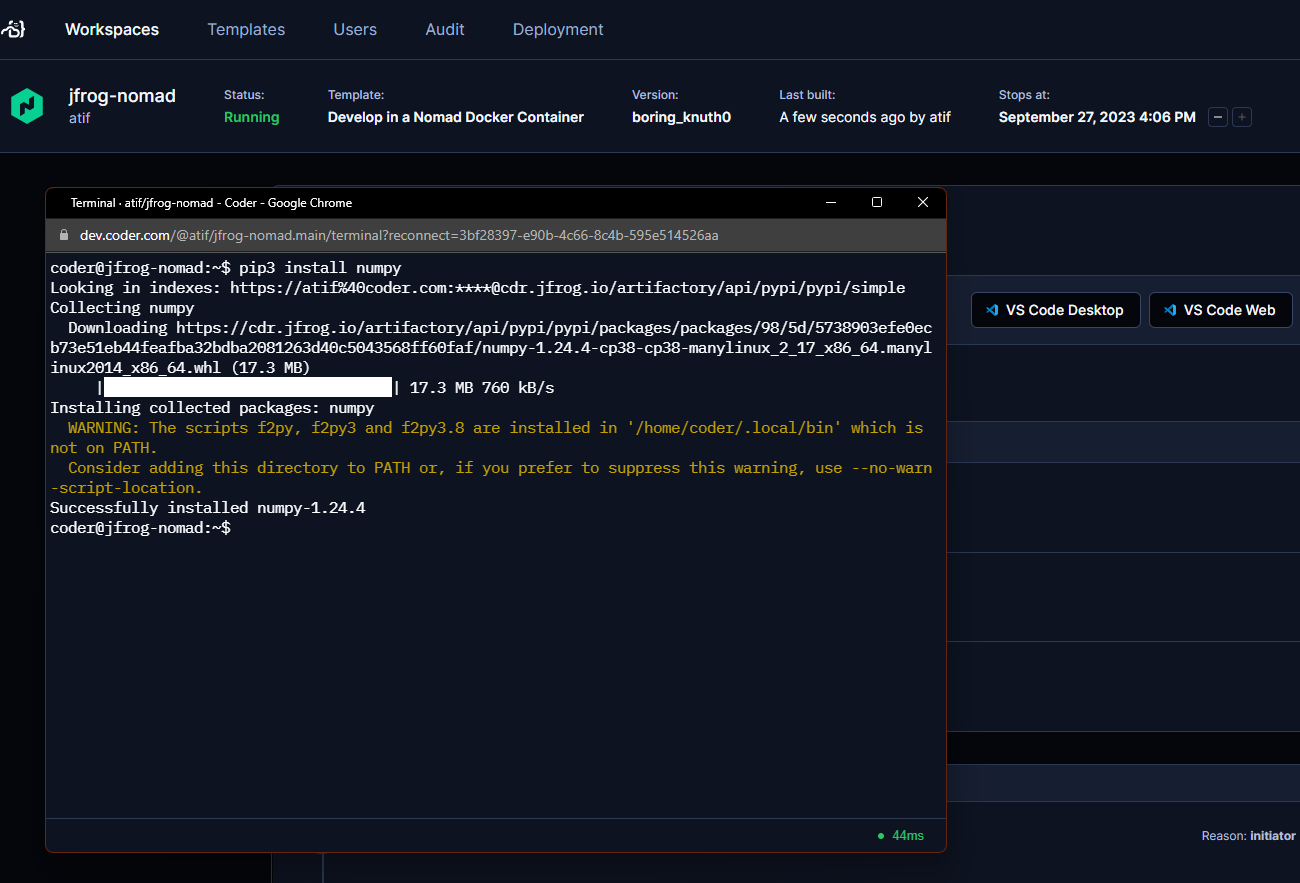
You should now be able to install packages from Artifactory using both the jf npm, jf go, jf pip and npm, go, pip commands.
jf npm install prettier
jf go get github.com/golang/example/hello
jf pip install requests
npm install prettier
go get github.com/golang/example/hello
pip install requests
Configure code-server with JFrog extension
The JFrog extension for VS Code allows you to interact with Artifactory from within the IDE.
module "jfrog" {
  source                   = "registry.coder.com/coder/jfrog-token/coder"
  version                  = "1.0.30"
  agent_id                 = coder_agent.example.id
  jfrog_url                = "https://XXXX.jfrog.io"
  artifactory_access_token = var.artifactory_access_token
  configure_code_server    = true # Add JFrog extension configuration for code-server
  package_managers = {
    npm  = ["npm"]
    go   = ["go"]
    pypi = ["pypi"]
  }
}
Add a custom token description
data "coder_workspace" "me" {}

module "jfrog" {
  source                   = "registry.coder.com/coder/jfrog-token/coder"
  version                  = "1.0.30"
  agent_id                 = coder_agent.example.id
  jfrog_url                = "https://XXXX.jfrog.io"
  artifactory_access_token = var.artifactory_access_token
  token_description        = "Token for Coder workspace: ${data.coder_workspace_owner.me.name}/${data.coder_workspace.me.name}"
  package_managers = {
    npm = ["npm"]
  }
}
Using the access token in other terraform resources
JFrog Access token is also available as a terraform output. You can use it in other terraform resources. For example, you can use it to configure an Artifactory docker registry with the docker terraform provider.
provider "docker" {
  # ...
  registry_auth {
    address  = "https://YYYY.jfrog.io/artifactory/api/docker/REPO-KEY"
    username = module.jfrog.username
    password = module.jfrog.access_token
  }
}
Here
REPO_KEYis the name of docker repository in Artifactory.